The self-editing document family
Three tools, one renderer. Each turns your Markdown into a single, self-editing HTML file. Different shapes for different documents.
Start a new editable file
Open a genuine starter file in a new tab, click the pencil button, edit in the browser, then save or download your own local copy.
Slide deck
A presentation with layouts, notes, fragments, and speaker view.
Create .slides.htmlWhat they all share
One portable file
The Markdown source lives inside the file; it renders itself on open. Nothing to install to read it.
Edit in place
A built-in editor with live preview. Save writes back to the same file (in Chromium browsers).
Copy as Markdown
Select rendered content, copy, and get clean Markdown source back, ready to reuse anywhere.
Portable metadata
Generated files can carry authorship, license, canonical source, date, description, and keywords in their own HTML head.
Inline or CDN
--inline embeds the engine (and, for slides/paged, themes); --cdn makes a smaller file.
Verifiable
The embedded framework hashes against the published packages, so tampering is detectable.
orz-mdhtml
A continuous document.
The classic article, README, or notes view, rendered for true WYSIWYG. The editor sits beside a live preview with optional scroll-sync, exactly like the one on this site.
- Best for articles, documentation, notes, web-style reading.
- Resizable split, theme switch, copy-as-Markdown.
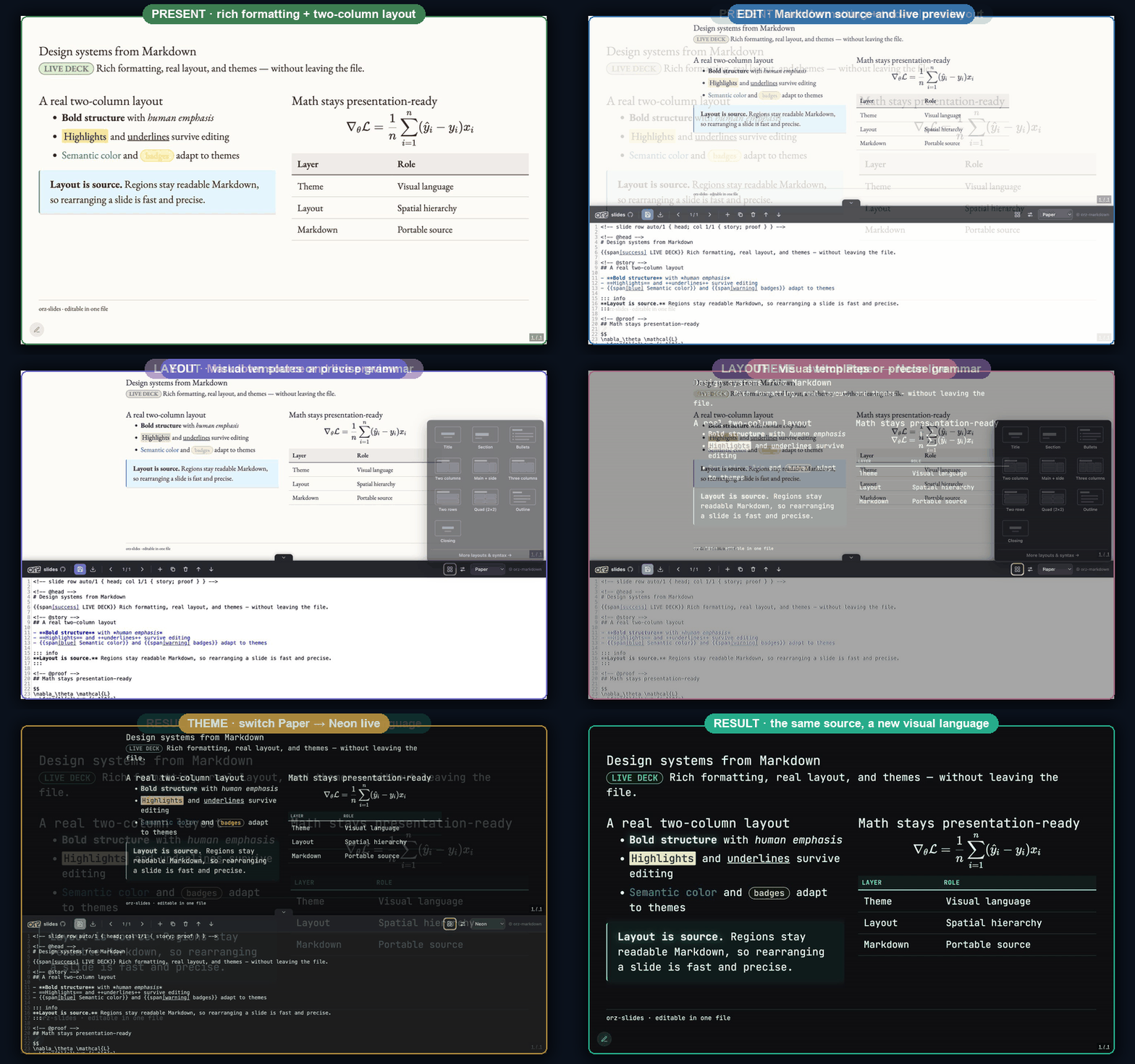
orz-slides
A reveal.js slide deck.
Present from a single file in any browser. A layout grammar (columns, splits, regions), structure templates (title, section, closing), and presenter tools: speaker view, step-reveal fragments, a timer, and slide numbers.
- Best for talks, lectures, lightweight decks you can email.
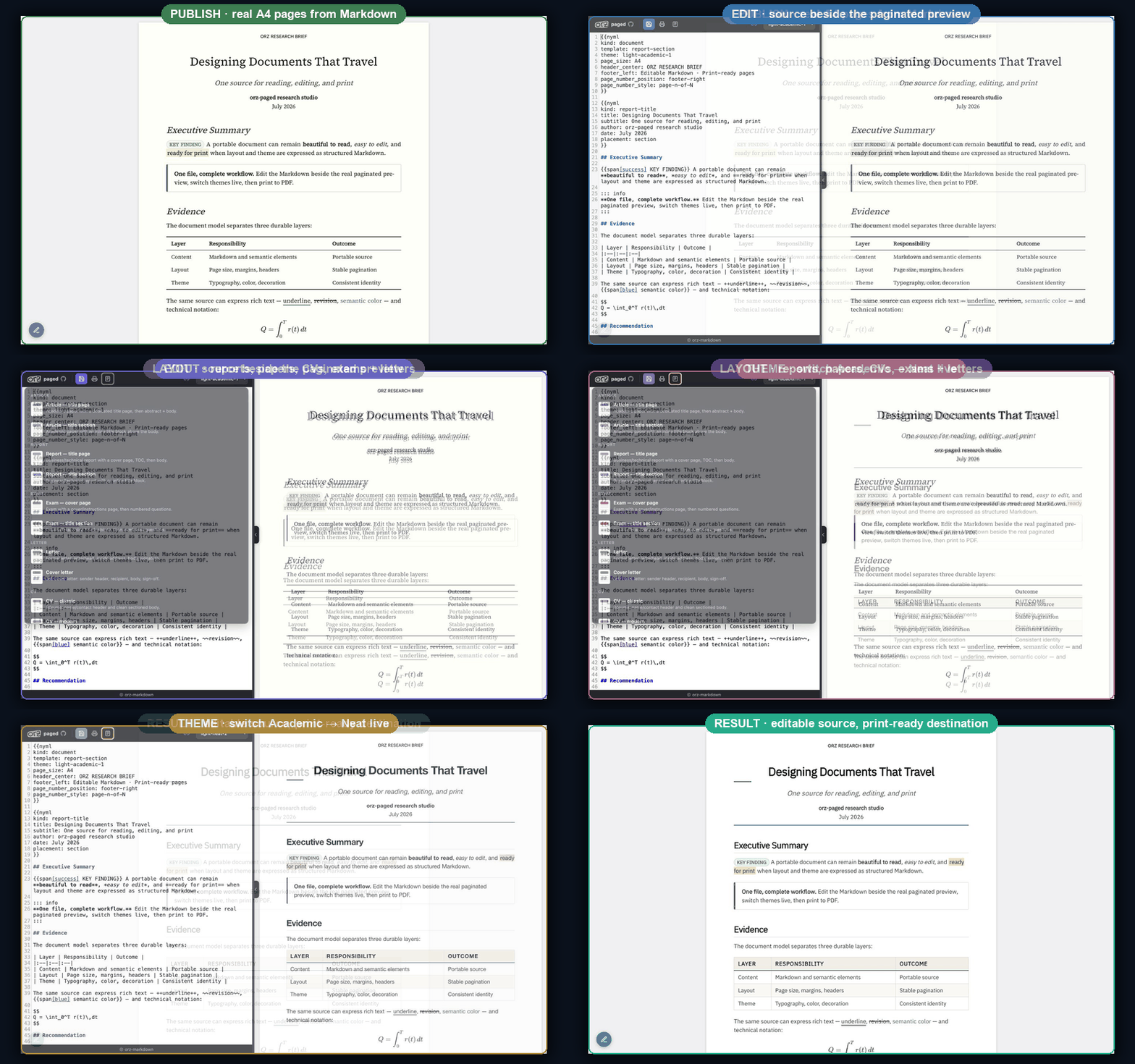
orz-paged
A paginated print document.
Markdown laid out as pages with paged.js: A4 or Letter, margins, running headers and footers, page numbers. Edit side by side, then export to PDF by printing. No PDF binary, no server. Curated templates for articles, letters, CVs, reports, and exams.
- Best for papers, reports, CVs, exams, anything destined for paper or PDF.
Which one?
| You want… | Use |
|---|---|
| An article, note, README, or web-style document | .md.html |
| To present slides from a single file | .slides.html |
| A print or PDF document: paper, report, CV, exam | .paged.html |
Just to edit Markdown and keep the .md | the editor |