Everything below is real output
Each example is rendered in your browser by orz-markdown itself, right now. Source on the left, the actual result on the right. Want to play? Drop any of it into the editor.
The {{ }} plugins
One uniform syntax for rich embeds:
{{name args}} inline, or {{name⏎…⏎}} across lines. No HTML required.
Full plugin reference
| Plugin | Example | Result |
|---|---|---|
qr | {{qr https://orz.how}} | inline QR (scannable, click to enlarge) |
youtube / yt | {{yt dQw4w9WgXcQ}} | a responsive video embed |
mermaid / mm | {{mm⏎graph LR⏎A-->B⏎}} | a diagram |
chart | {{chart⏎type: bar⏎…}} | bar / line / pie charts |
smiles / sm | {{sm C1=CC=CC=C1}} | a chemical structure |
emoji / em | {{emoji wave}} | emoji by name |
span / sp | {{sp[red] text}} | colored / badged spans |
toc | {{toc 2,3}} | a table of contents |
attrs | # Title{{attrs[#id]}} | ids, classes, attributes |
The ::: containers
Semantic callouts and real layout, from fenced blocks. Nest by adding colons to the outer block.
All container types
Callouts: info, success, warning, danger.
Layout: left / right / center, cols, tabs,
spoil (spoiler). Any other ::: ClassName becomes a
<div class="ClassName">, so you can style your own.
::: info        ::::  cols 1 2        :::: tabs
…content…       ::: col              ::: tab One
:::             …                    …
                :::                  :::
                ::::                 ::::
Math with KaTeX
Inline $…$ and display $$…$$,
rendered at parse time. mhchem is bundled for chemistry.
Diagrams & charts
Flowcharts, data charts, and chemistry, all from plain text. (These libraries load on demand.)
Twelve built-in themes
Light and dark, academic to playful. A theme styles the full rendered output, including containers, math, diagrams, and print. Switch instantly in the editor.
Copy as Markdown
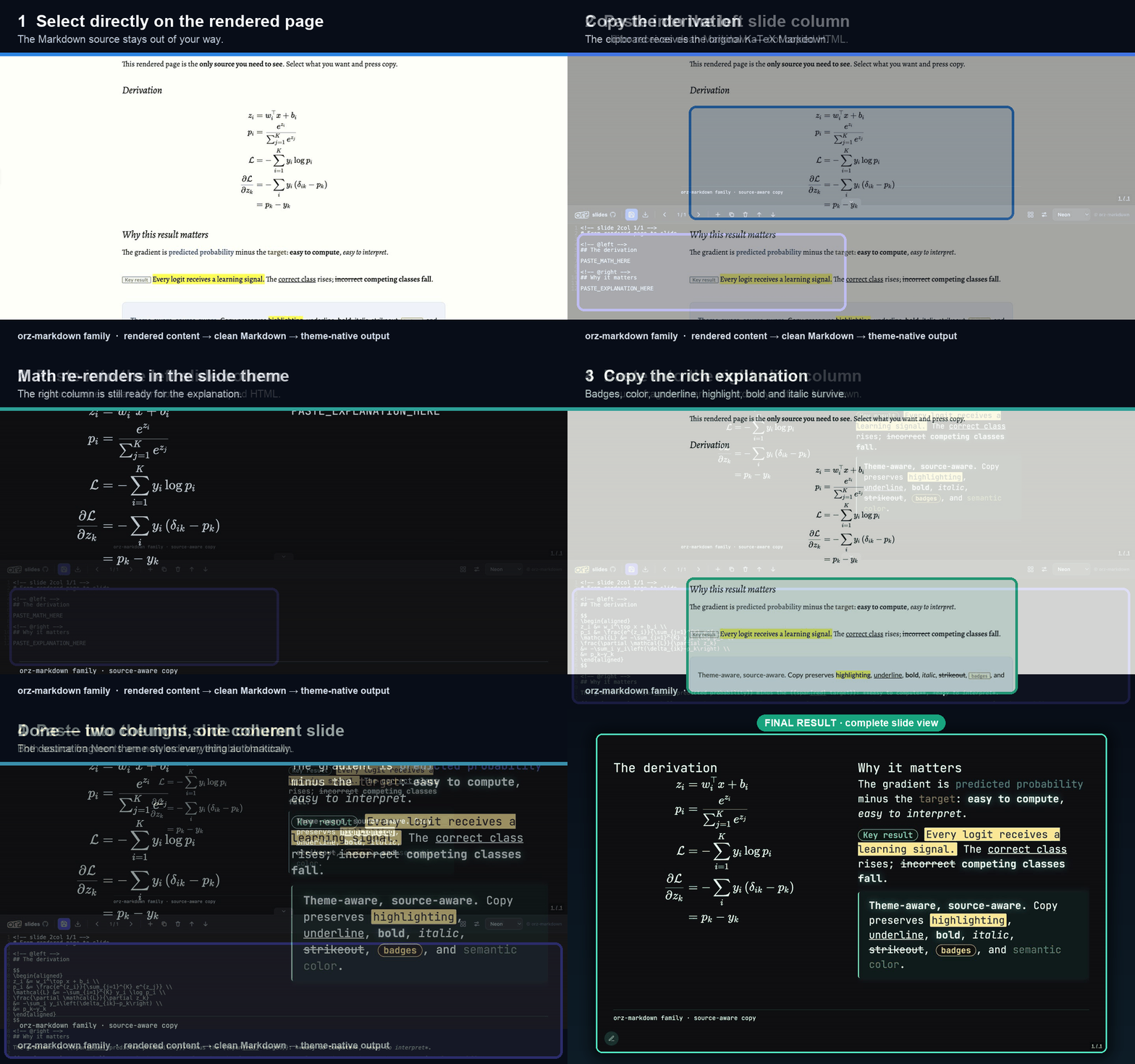
With the browser runtime loaded, selecting rendered content and copying puts Markdown source on your clipboard, not HTML.
It round-trips
Tables, lists, math, code, and even generated constructs survive the trip. Copy a rendered QR and you get
{{qr …}} back; copy a diagram and you get its {{mermaid …}} source.
Why it matters
Your rendered document stays the source of truth. Paste into any editor, chat, or issue and it is clean, portable Markdown again, ready to re-render anywhere.